issy
- why
- two themes
- print to pdf
- multiple cursors
- incremental search
- path completion
- install
- cross compile
- keybindings
- configuration
- syntax highlighting
- auto update
- architecture and tests
Source lives at github.com/davidemerson/issy.
issy is a text editor that looks like a printed page, not a terminal application. It’s written in Zig with zero external dependencies, cross-compiles to Linux, macOS, Windows, and OpenBSD, and a release build lands around 470KB. Single static binary, no runtime, no package tree.
why
I spend a lot of my day staring at text, and most editors treat syntax highlighting like a christmas tree. Every keyword is a different color, every string screams, every comment fades into a second-class citizen. I wanted something closer to the feeling of reading a well-typeset book: restrained contrast, gentle luminance shifts, structure you parse with your eyes rather than with your retina.
I also wanted a real print path. If I’m going to read code at a coffee shop on paper (and I do, occasionally), I want the PDF to look like I meant it, not like someone screenshot a terminal and hit print.
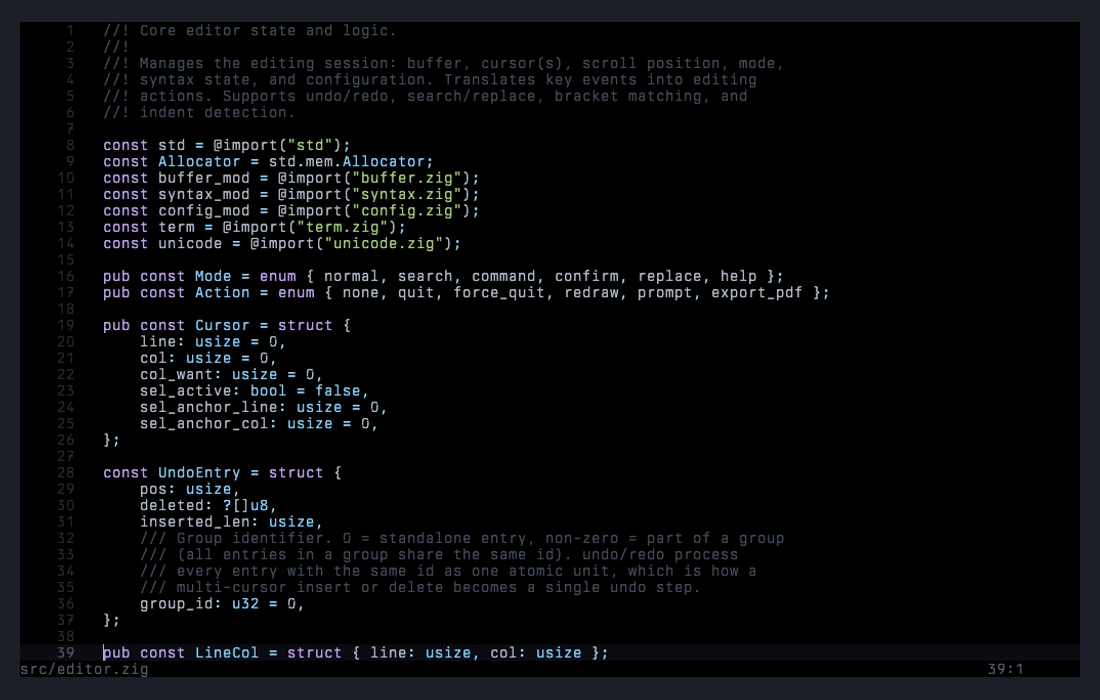
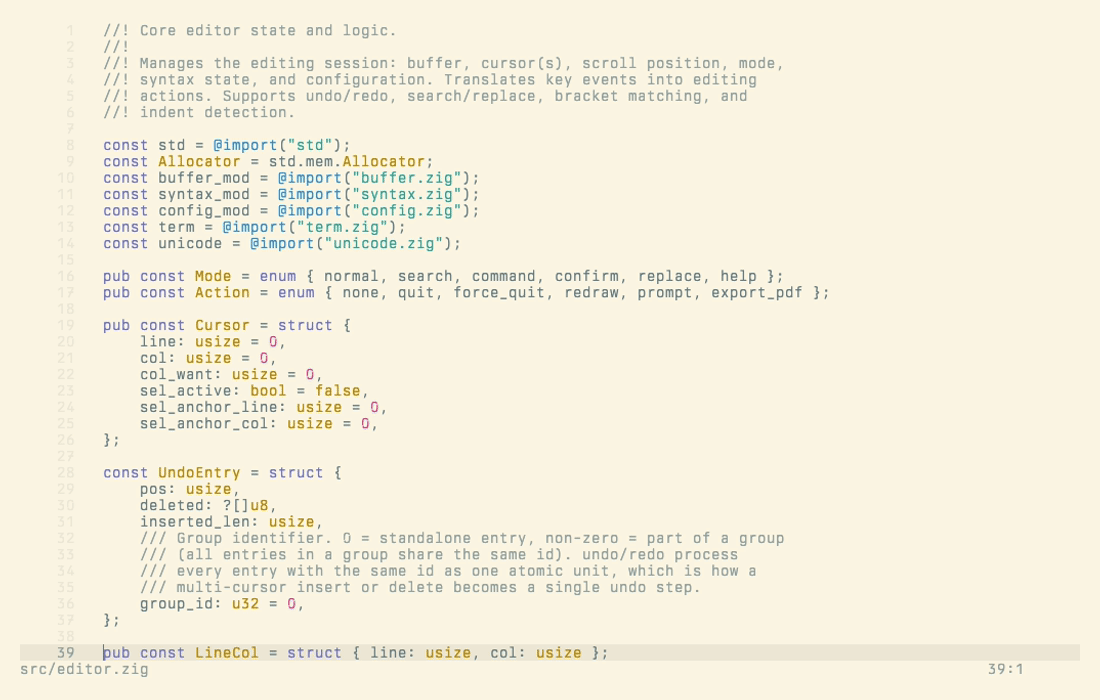
two themes
Pick the one that matches your environment. Both follow the same design principle — only a couple of token types get real chromatic contrast so the eye parses structure through gentle luminance shifts instead of a rainbow.
print to pdf
Ctrl+P (or --print on the command line) renders the current buffer to a real PDF 1.4 file with TTF/OTF font embedding, a separate ink-on-paper print theme, headers, and automatic page breaks. No external dependencies, no temporary PostScript.
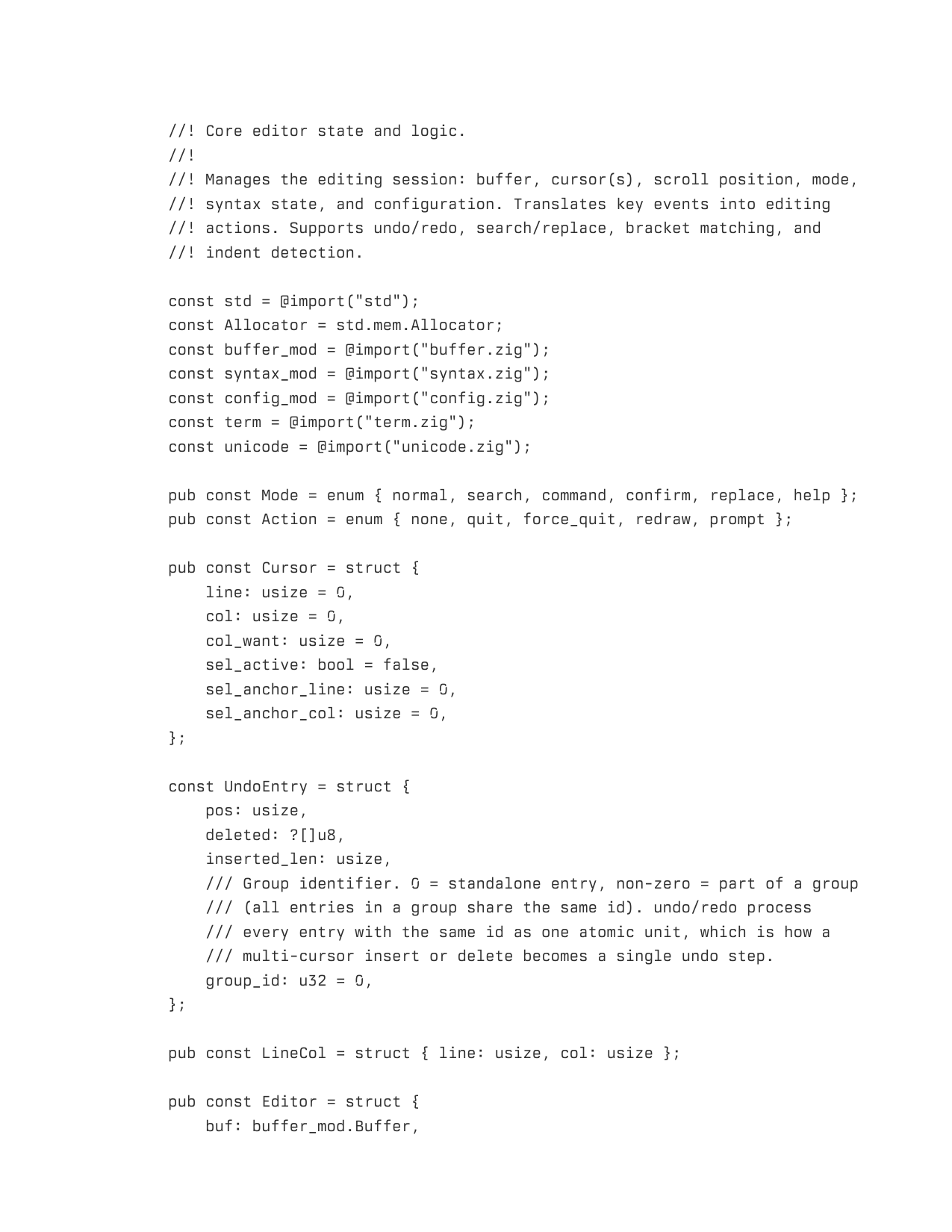
Headless from the command line:
issy --font "Berkeley Mono.ttf" --print output.pdf source.py
The print theme is tuned for ink on white paper and never inherits the TUI theme. Recommended font: Berkeley Mono, obviously. Hack if you want something free.
multiple cursors
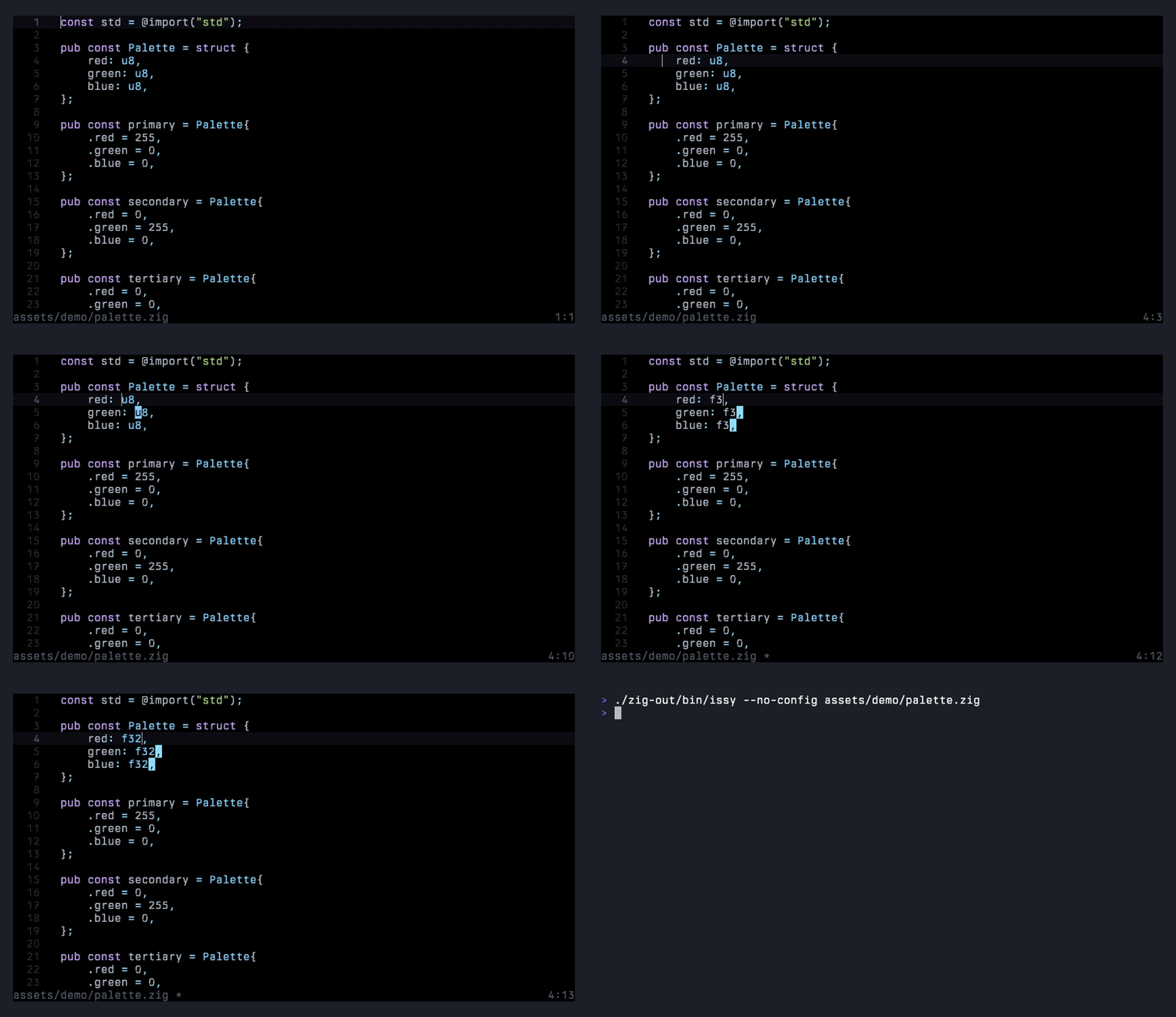
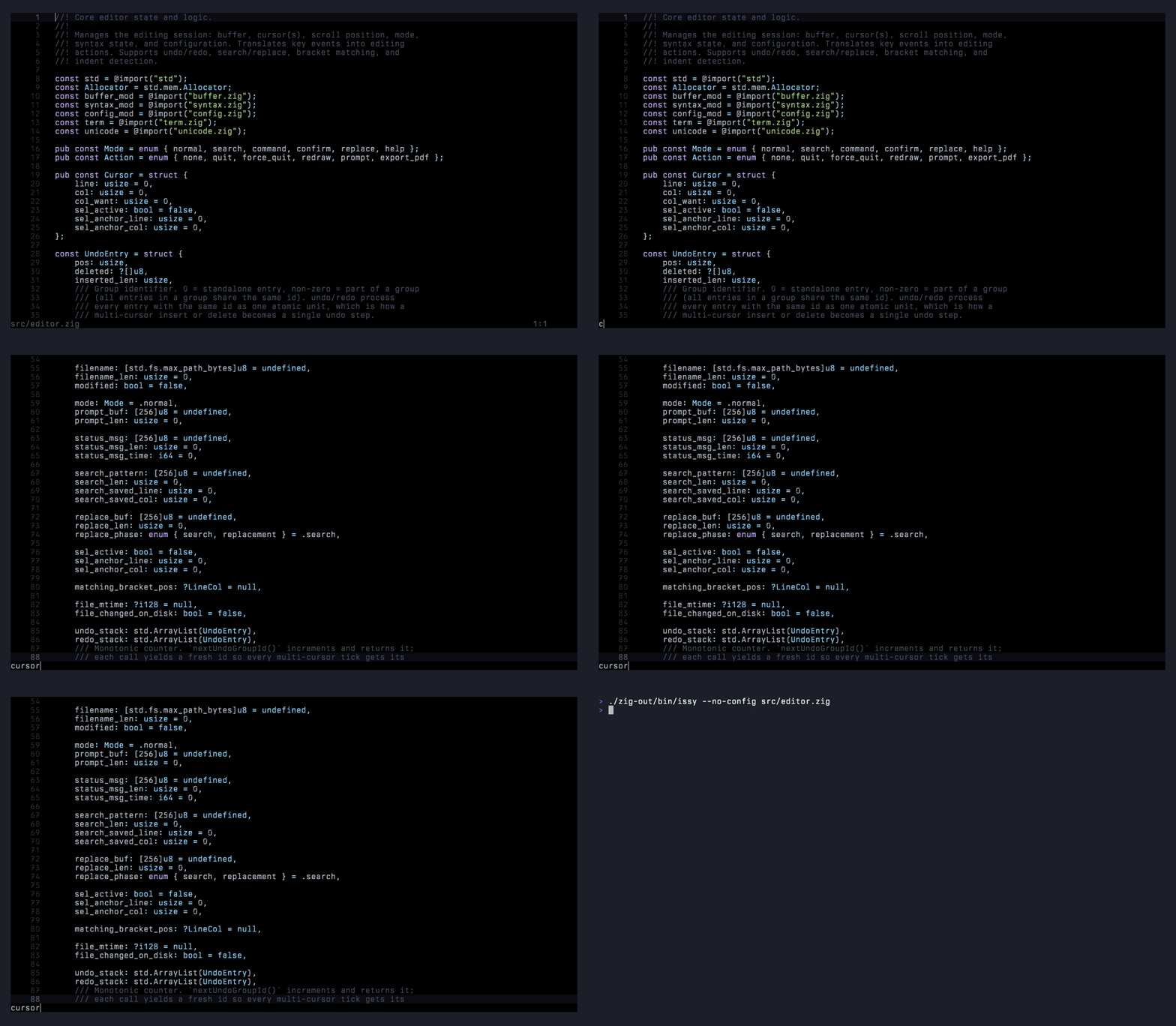
Ctrl+D selects the word under the cursor and adds a cursor at the next occurrence. Press it again to keep adding. Every subsequent edit, whether typing, backspace, delete, or paste, applies to all cursors simultaneously, and Ctrl+Z undoes the whole multi-cursor tick as one step.
incremental search
Ctrl+F enters search mode; each keystroke re-runs the search and jumps the cursor to the first live match. Ctrl+G walks to the next match, Escape cancels and returns the cursor to where it started.
path completion
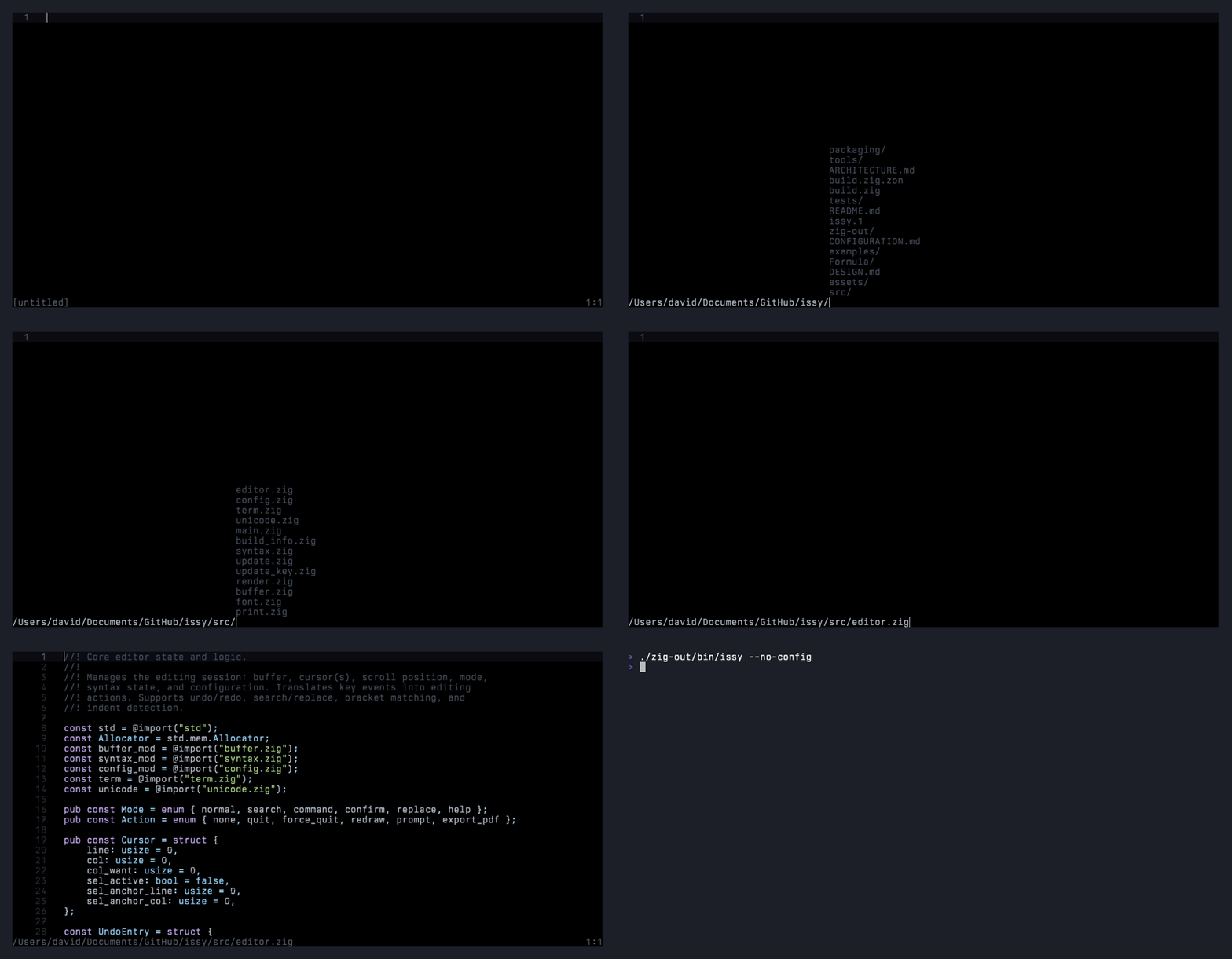
Ctrl+O opens the file prompt seeded with the current directory. Type a partial directory or filename and press Tab to auto-complete against what’s on disk.
install
linux
Pre-built binaries from the latest commit on main are published to GitHub Releases as .deb, .rpm, and raw binaries for both amd64 and arm64. Grab them from the releases page.
macos
Homebrew tap:
brew tap davidemerson/issy https://github.com/davidemerson/issy
brew install --HEAD issy
To upgrade: brew upgrade --fetch-HEAD issy.
Or build from source:
git clone https://github.com/davidemerson/issy.git
cd issy
zig build -Doptimize=ReleaseSafe
sudo install -m 0755 zig-out/bin/issy /usr/local/bin/issy
Prebuilt macOS binaries aren’t shipped because cross-compiled Mach-O from Linux has no code signature and Apple Silicon will refuse to run it. Building locally produces a native host-signed binary that runs on both Intel and Apple Silicon with no xattr or codesign workarounds.
openbsd and windows
Build from source. Requires Zig 0.15+.
zig build -Doptimize=ReleaseSafe
cross compile
Zig makes this trivial:
zig build -Dtarget=x86_64-linux-gnu
zig build -Dtarget=x86_64-macos
zig build -Dtarget=aarch64-macos
zig build -Dtarget=x86_64-windows-gnu
zig build -Dtarget=x86_64-openbsd
Or zig build cross to build all targets at once.
keybindings
The ones you’d expect, mostly.
| Key | Action |
|---|---|
| Ctrl+S | Save |
| Ctrl+Q | Quit (press twice to discard unsaved changes) |
| Ctrl+Z / Ctrl+Y | Undo / redo |
| Ctrl+C / Ctrl+X / Ctrl+V | Copy / cut / paste |
| Ctrl+A | Select all |
| Ctrl+F | Incremental search |
| Ctrl+G | Find next match |
| Ctrl+H | Search and replace |
| Ctrl+O | Open file |
| Ctrl+N | New empty buffer |
| Ctrl+P | Export to PDF |
| Ctrl+R | Reload file from disk |
| Ctrl+D | Add cursor at next occurrence of word |
| Ctrl+/ or F1 | Show keybindings overlay |
configuration
Drop a ~/.issyrc (or %APPDATA%\issy\config on Windows). The full reference is in CONFIGURATION.md in the repo. A minimal example:
tab_width = 4
expand_tabs = true
line_numbers = true
right_margin = 100
cursor_style = bar
font_file = "/path/to/font.ttf"

[theme.paper]
syntax highlighting
C, C++, Zig, Python, JavaScript, TypeScript, Rust, Go, Shell, HTML, CSS, JSON, YAML, TOML, Makefile, Markdown, and TeX/LaTeX. Language is detected by file extension. Seventeen in total, which covers just about everything I touch on a given day.
auto update
Release builds check for newer versions on startup. The check is a one-shot HTTPS request to a commit.txt asset on the latest GitHub release, made by a detached grandchild process so the editor itself never blocks on the network. If the commit SHA on the release differs from the one the running binary was built from, the footer shows update available: <sha>.
By default the editor only notifies. Opt into automatic download and in-session apply with autoupdate = true in ~/.issyrc. With auto-apply on:
- The background worker downloads
sha256sums.txtand its Ed25519 signature, verifies the signature against the public key embedded insrc/update_key.zig, then downloads the platform-specific binary and checks it against the signed manifest. - The verified binary is staged under
~/.cache/issy/issy.stagedand the footer switches toupdate staged: <sha>. - Next time the buffer is clean and the editor has been idle for 60 seconds, it writes a small resume record, snapshots the current binary to
~/.cache/issy/issy.prev, atomically renames the staged binary over its own executable, tears down the terminal, andexecve()s the new binary with--resume <path>. The terminal state survivesexecve, so the visible effect is a single re-render. - If anything goes wrong — non-writable binary, signature mismatch, dirty buffer, failed rename — the editor falls back to notify-only and keeps running the old version.
The signing private key is held as a GitHub Actions secret and only the repo’s CI workflow can sign releases. A tampered manifest or binary fails signature verification and staging aborts. The worker runs as the editor’s user, not root, and refuses to operate on root-owned install paths (so a .deb/.rpm install to /usr/bin/issy silently stays in notify-only mode and you update via the package manager).
To roll back after an apply: issy --rollback swaps the previous binary back in a one-shot atomic rename.
If you’d rather not think about any of this, notify_updates = false disables the check entirely.
architecture and tests
Gap buffer for text storage, hand-rolled tokenizer per language, hand-rolled PDF writer, and a TUI layer that speaks raw terminal escapes. There’s an ARCHITECTURE.md in the repo that walks through the source code if you’re curious.
Tests run in two layers:
zig build test              # unit tests: gap buffer, unicode, tokenizer
bash tests/run_tests.sh     # integration tests via expect
The integration suite covers 38 tests across file operations, text editing, cursor movement, search/replace, clipboard, quit behavior, and edge cases. Each test launches the real binary in a PTY, sends keystrokes, and verifies outcomes by checking saved file contents. It’s slower than pure unit tests but it catches the kind of bug where the editor thinks it saved a file but actually didn’t.
home | about | github | mastodon

epoch
1776051437